

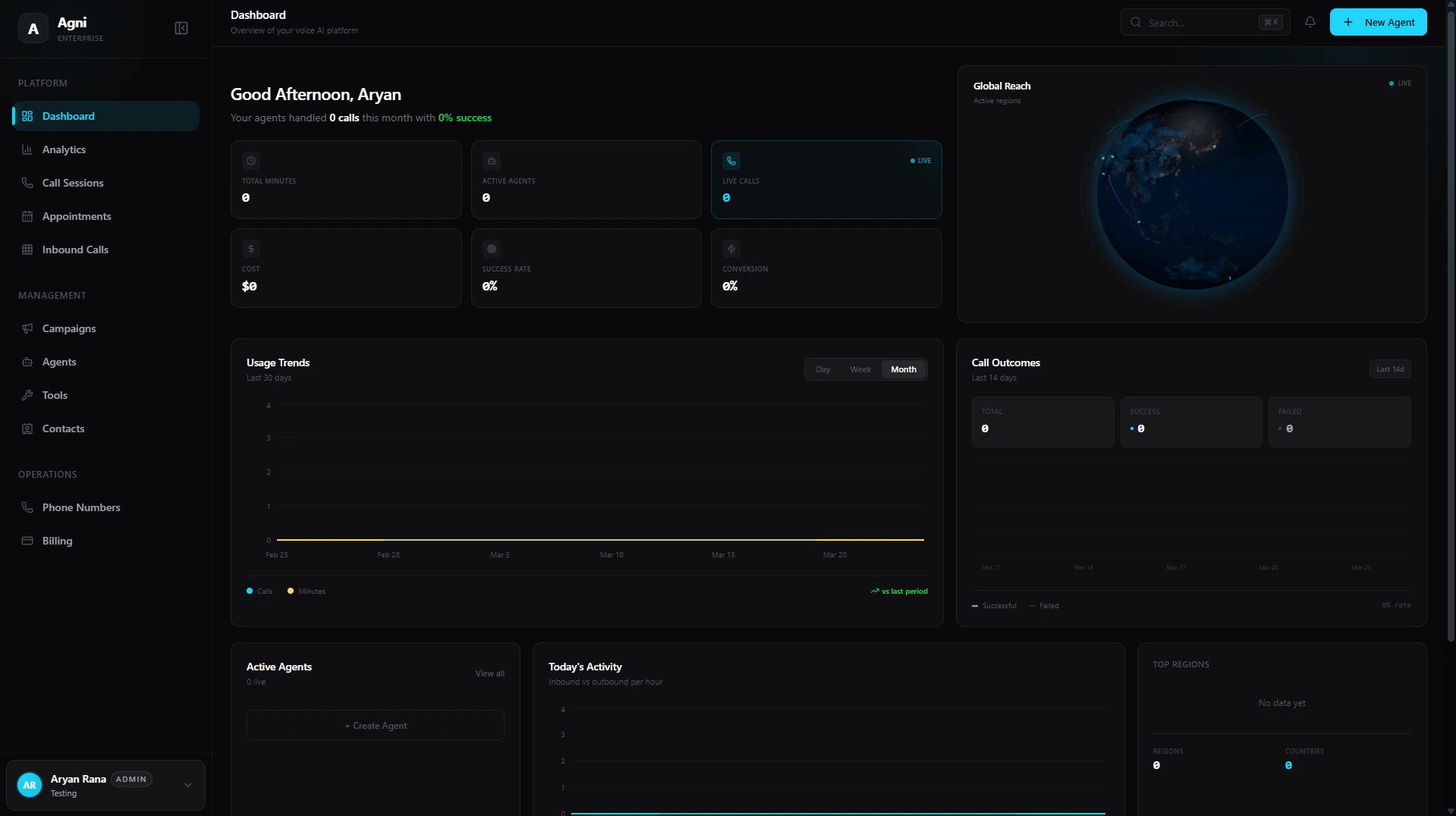
At-a-Glance Metrics
At the top of your dashboard, below your personalized monthly summary, you can quickly assess the high-level health and performance of your voice agents in real time.Total Minutes
The aggregate number of minutes consumed by all your agents.
Active Agents
The total number of agents currently deployed and active.
Live Calls
The number of concurrent calls happening right now (marked with a LIVE indicator).
Cost
Your total accrued usage cost, calculated at the flat $0.07/min rate.
Success Rate
The overall percentage of calls that reached a successful objective.
Conversion
Your overall conversion rate for targeted outcomes.
Live Visualizations & Analytics
The center of the dashboard provides a suite of interactive widgets to help you monitor system load and campaign outcomes dynamically.Global Reach
A live 3D visualization showing exactly where in the world your active calls are currently taking place.
Usage Trends
Track your minute consumption and total call volume over a rolling 30-day period. Toggle between Day, Week, or Month views.
Call Outcomes
A trailing 14-day breakdown plotting your Successful versus Failed calls to help you easily spot routing or prompt issues.
Today's Activity
An hourly breakdown comparing your Inbound versus Outbound traffic for the current day.
Active Agents
A quick view of which agents are currently handling live calls, with a shortcut to immediately create a new agent.
Top Regions
A demographic breakdown counting the total number of calls per Country and Region.
Quick Actions
Located at the bottom of the dashboard, the Quick Actions panel provides one-click access to your most common operational workflows:Create Agent
Build a new AI assistant.
New Campaign
Launch outbound calls.
Add Contact
Import or create users.
Add Number
Provision a number.
Workspace Navigation
The left sidebar is your primary map for navigating your Agni workspace. It is divided into three core sections:Platform
Platform
Your daily operational views and data tracking.
- Dashboard: Your high-level overview and metrics.
- Analytics: Deep dive into usage, latency, and call outcomes.
- Calls: Review call logs, transcripts, and recordings.
- Appointments: Manage calendar events synced via Cal.com or GoHighLevel.
- Inbound Calls: Configure routing for incoming traffic.
Management
Management
The core configuration of your voice AI brains.
- Campaigns: Manage and monitor active outbound campaigns.
- Agents: Create, update, and deploy your AI agents.
- Tools: Build custom functions and webhooks.
- Contacts: Manage your CRM and address book.
Operations
Operations
The backend infrastructure of your workspace.
- Phone Numbers: Buy, import, and release phone numbers.
- Billing: Manage your subscription and view invoices.